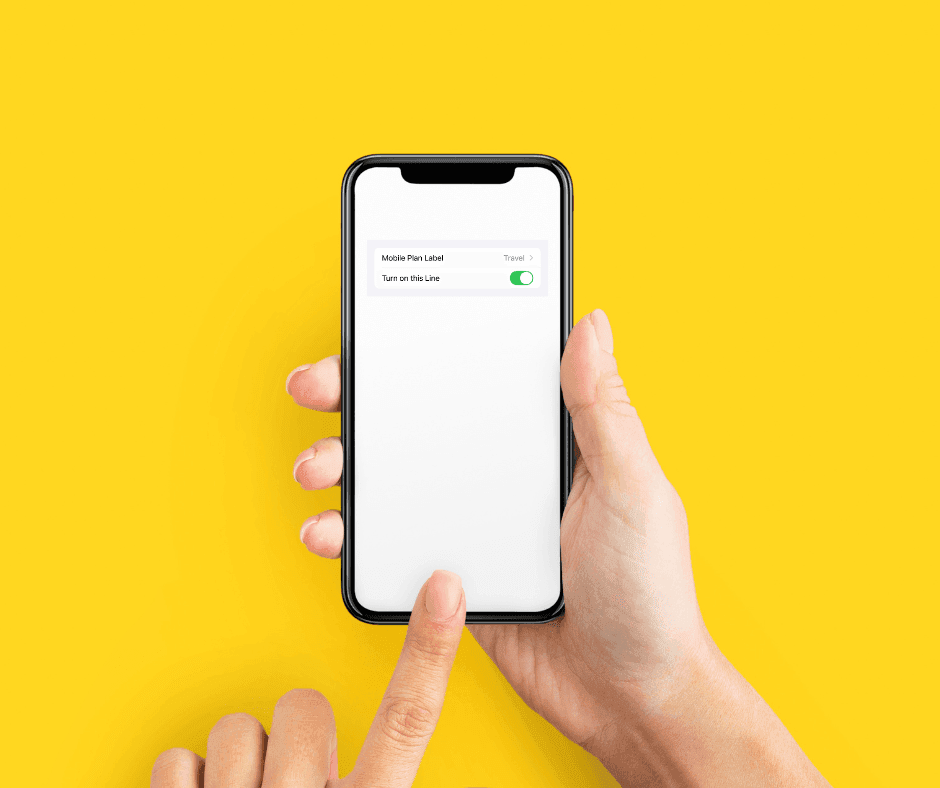
If you use an eSIM on your iPhone, you can turn it on or off in just a few taps. This is handy when you’re switching back to your regular SIM, saving battery, or troubleshooting your connection.
Why this guide matters to traveler's
Every year, millions of travelers struggle to activate eSIM's on their iPhones. This leads to:
- Expensive roaming charges
- Lost connectivity
- Precious time wasted on vacation
This guide aims to get you up and running in under 5 minutes, guaranteed.
Compatible iPhone Models
- iPhone XS, XS Max, XR (2018)
- iPhone 11, 11 Pro, 11 Pro Max (2019)
- iPhone 12, 12 mini, 12 Pro, 12 Pro Max (2020)
- iPhone 13, 13 mini, 13 Pro, 13 Pro Max (2021)
- iPhone 14, 14 Plus, 14 Pro, 14 Pro Max (2022)
- iPhone 15, 15 Plus, 15 Pro, 15 Pro Max (2023)
- iPhone 16, 16 Plus, 16 Pro, 15 Pro Max (2024)
Not Compatible iPhone Models
- iPhone X and earlier models
- iPhone SE (1st generation)
View a full list of eSIM Compatible devices.
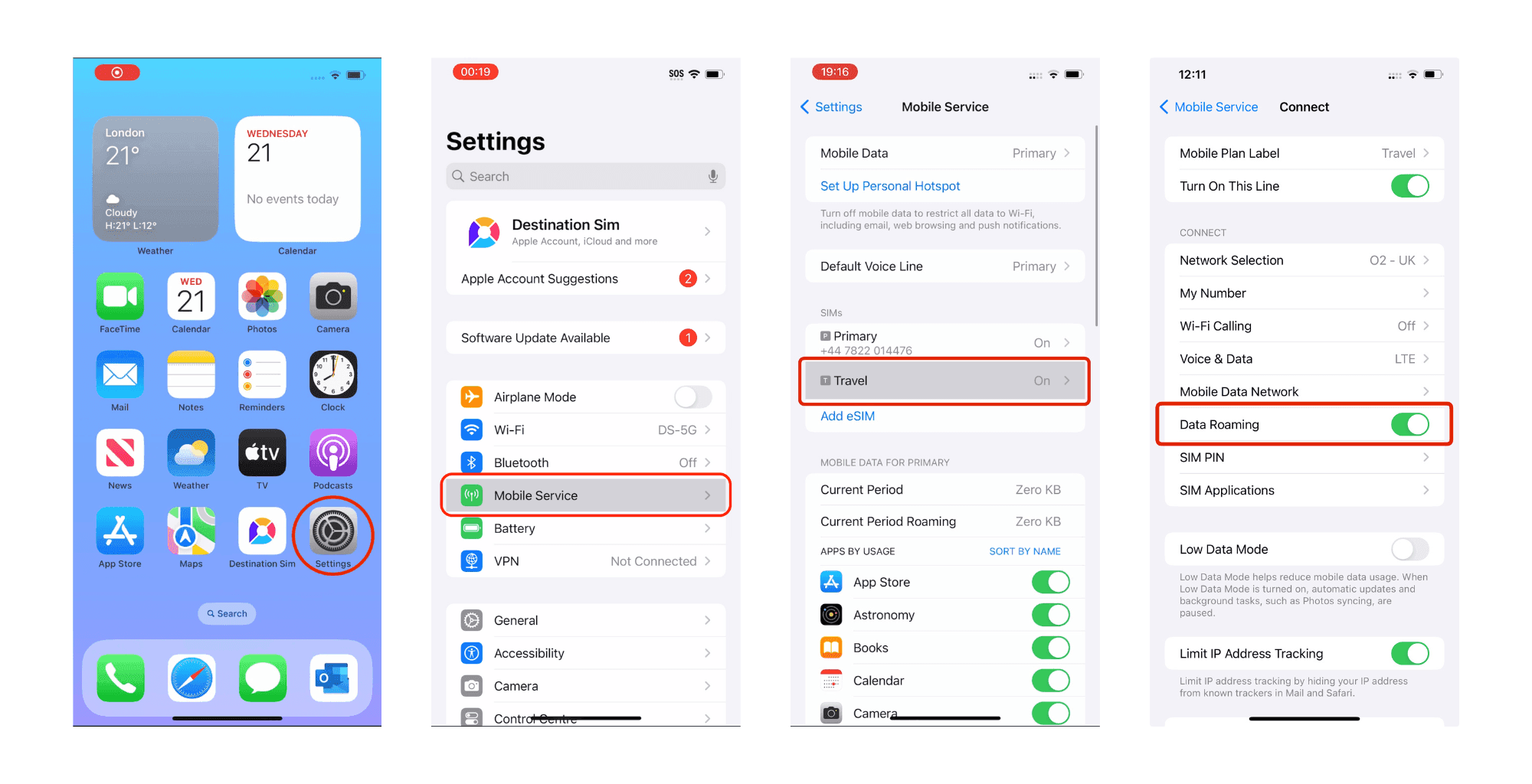
How to Turn Your eSIM On and Off
- Open Settings on your iPhone.
- Tap Mobile Service (or Cellular).
- Select your eSIM plan.
- Toggle Turn On This Line on or off.
How to Switch Data to Another SIM
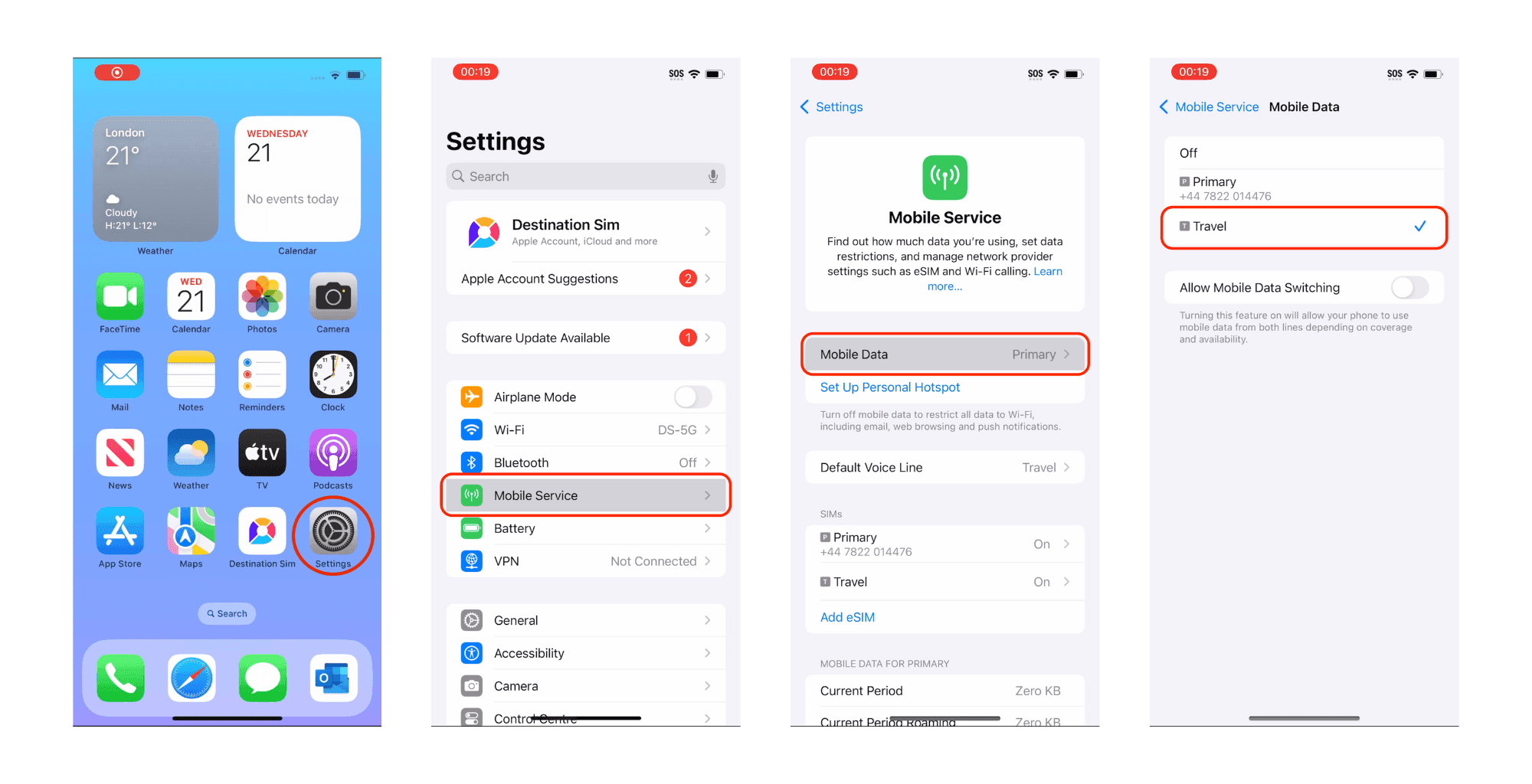
- Go to Settings > Mobile Service (or Cellular).
- Tap Mobile Data.
- Select which SIM to use for data.
Keep Your eSIM for Future Trips
With Destination Sim, your eSIM is reusable. When your trip ends, simply turn it off instead of deleting it, and keep it stored on your iPhone for your next adventure. When you travel again, just turn it back on — no reinstallation needed.
Troubleshooting: Data Not Working?
If your eSIM is installed but you can’t connect to the internet, make sure it’s selected for mobile data:
- Go to Settings.
- Tap Mobile Service (or Cellular).
- Select Mobile Data.
- Choose your Destination SIM eSIM for data usage.
📌 Tip: If you have multiple SIMs, your phone might automatically switch back to your primary number. When traveling, always make sure your travel eSIM is selected for calls, texts, and data to avoid unexpected roaming charges.
With Destination Sim, you can keep your travel eSIM stored for future trips or delete it when you’re done — no physical SIM swap needed.