





Google Pixel eSIM Guide: Setup and Compatibility for 2026
A practical overview of Google Pixel eSIM support in 2026—covering Pixel 10 eSIM-only models, setup on Android 16/17, iPhone-to-Pixel transfer, multi-eSIM management, travel options, 5G with Tensor G5, troubleshooting, and FAQs.
eSIM 词汇
简明定义,附带统计数据和指南链接。 打开旅行 eSIM 术语表
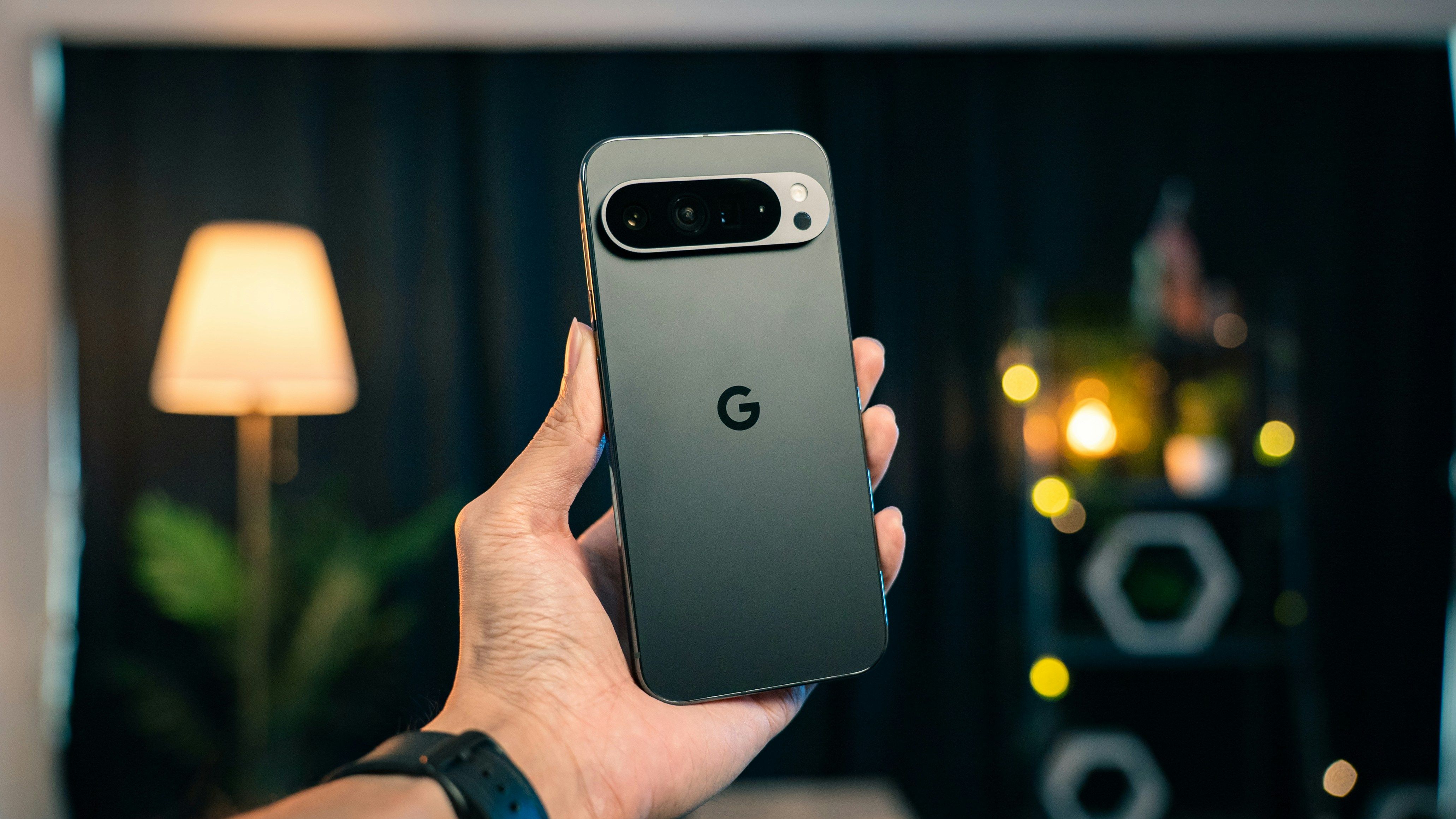
- Google Pixel eSIM Compatibility in 2026
- What's New with Pixel 10 Series eSIM-Only Design
- Step-by-Step eSIM Setup on Android 16/17
- Transferring from iPhone to Pixel: Native Tools
- Managing Multiple eSIMs on Your Pixel
- Travel eSIM Solutions for Pixel Users
- 5G Performance with Tensor G5 Chip
- Troubleshooting Common eSIM Issues
- FAQs
- Conclusion
Google's Pixel lineup has gone all-in on eSIM technology in 2026. The Pixel 10 series ditches physical SIM slots entirely in the US market, marking a significant shift toward wireless-first connectivity. This change gives users more flexibility while keeping the smooth Android experience Pixel phones deliver.
Upgrading from an older Pixel? Switching from iPhone? Or just want to understand how eSIM works on your current device? This guide walks you through everything about Pixel eSIM functionality in 2026.
Google Pixel eSIM Compatibility in 2026
Every current Google Pixel model supports eSIM, though the setup varies by generation:
Pixel 10 Series (2026)
- Pixel 10 and Pixel 10 Pro: eSIM-only in the US
- Store up to 8 eSIM profiles
- Run 2 eSIMs simultaneously
- Enhanced 5G with Tensor G5
Pixel 9 Series (2025)
- Hybrid SIM tray plus eSIM support
- Store up to 6 eSIM profiles
- Full dual SIM functionality
Pixel 8 and Earlier
- eSIM support alongside physical SIM slot
- Store up to 4 eSIM profiles
The Pixel 10 series represents Google's commitment to a wireless future, dropping physical SIM slots completely for multiple eSIM support.
What's New with Pixel 10 Series eSIM-Only Design
Going eSIM-only brings real benefits to the Pixel 10:
Better Water Resistance
More Room Inside
Stronger Security
Switch Carriers Instantly
Step-by-Step eSIM Setup on Android 16/17
Adding an eSIM to your Pixel running Android 16 or 17 takes just a few minutes:
Method 1: QR Code Setup
- Open SIM Settings
- Go to Settings > Network & internet > SIMs
- Tap "Add SIM" or the "+" icon
- Scan Your Code
- Select "Use QR code"
- Point your camera at the eSIM QR code
- The system reads it automatically
- Install the Profile
- Check the carrier details
- Tap "Add" to install
- Wait 2-3 minutes for activation
Method 2: Manual Entry
- Enter Details Manually
- In SIM settings, choose "Enter details manually"
- Type in the SM-DP+ address and activation code
- Finish Setup
- Follow the prompts
- Give your eSIM plan a recognizable name
Method 3: Carrier App Integration
Many carriers now let you add eSIMs directly through their apps:
- Download your carrier's app
- Sign into your account
- Look for "Add eSIM" or similar
- Follow the carrier's instructions
Transferring from iPhone to Pixel: Native Tools
Android 17 makes moving from iPhone to Pixel easier, including eSIM transfer:
Using Quick Switch Adapter
- Connect Your Devices
- Use the included Quick Switch adapter
- Connect your iPhone to the Pixel 10
- Choose What to Transfer
- Select "Transfer eSIM" during setup
- Authenticate with your carrier when prompted
- Let It Finish
- Your primary eSIM transfers automatically
- You might need to set up secondary eSIMs manually
Wireless Transfer Method
- Start Transfer Mode
- iPhone: Settings > General > Transfer or Reset iPhone
- Pixel: Settings > System > Switch from iPhone
- Connect the Devices
- Both phones need the same Wi-Fi network
- Follow the pairing steps on each screen
- Move Everything Over
- Choose eSIM transfer
- Wait for the confirmation
Managing Multiple eSIMs on Your Pixel
The Pixel 10 series holds up to 8 eSIM profiles and runs 2 at once:
Keep Your eSIMs Organized
Use Clear Names
- Label them "Work," "Travel," "Personal"
- Carrier logos help with visual identification
Pick Your Defaults
- Set which SIM handles calls, texts, and data
- Choose different SIMs for specific contacts
Watch Your Usage
- Track data per eSIM profile
- Set limits and usage alerts
Switch Between eSIMs
You can switch quickly through:
- Settings > Network & internet > SIMs
- Quick Settings panel SIM toggle
- Long-press the network indicator
Travel eSIM Solutions for Pixel Users
Your Pixel's eSIM capability makes international travel simple. Travel eSIM providers give you instant connectivity without physical SIM cards.
Why Travelers Love eSIMs
Keep Your Home Number
Get Online Instantly
Save Money
Pixel users looking for reliable international connectivity can find competitive rates starting at $3.99, with plans covering over 190 countries and regions through services like Destination Sim.
5G Performance with Tensor G5 Chip
The Pixel 10 series runs Google's Tensor G5 processor, built for better 5G performance:
How eSIM Works with 5G
Smarter Signal Processing
Network Combining
AI Network Selection
Real Performance Gains
Users see major improvements in:
- 5G connection reliability
- Faster switching between eSIM profiles
- Better battery life during high-speed data use
Troubleshooting Common eSIM Issues
eSIM Won't Activate
Check Your Connection
Double-Check the QR Code
Start Over
No Service After Setup
Review Carrier Settings
Try Airplane Mode
Call Your Carrier
Multiple eSIM Problems
Profile Limits
Data Routing Issues
FAQs
Can I use my Pixel 10 internationally without changing eSIM profiles?
Yes, but you'll pay international roaming charges. Travel eSIM plans usually offer better rates for international data while keeping your primary eSIM active for calls and texts.
How many eSIM profiles can I store on my Pixel 10?
The Pixel 10 series stores up to 8 eSIM profiles with 2 active at once. You can switch between stored profiles whenever you need to.
Will my eSIM transfer if I upgrade to a new Pixel device?
eSIM profiles are locked to specific devices and can't transfer directly. You'll need to contact your carrier or eSIM provider for a new profile on your new device.
Can I keep my physical SIM and add an eSIM on older Pixel models?
Yes, Pixel models before the 10 series support both physical SIM and eSIM at the same time for dual SIM functionality.
Do all carriers support eSIM on Pixel devices?
Most major carriers support eSIM on Pixel devices, but it varies by region and carrier. Check with your carrier about eSIM compatibility and how to activate it.
How do I remove an eSIM profile I don't need anymore?
Go to Settings > Network & internet > SIMs, select the eSIM you want gone, and tap "Erase SIM." This permanently removes it from your device.
Can I use the same eSIM QR code on multiple devices?
No, each eSIM QR code works for one-time activation on one device. Trying to use the same code on multiple devices won't work.
Conclusion
Google Pixel's eSIM capabilities in 2026 show where mobile connectivity is headed. The Pixel 10 series going fully eSIM-only gives users incredible flexibility in managing mobile plans while delivering better security and sleeker device design.
Whether you travel frequently and want affordable international connectivity or just like the convenience of switching carriers without physical SIM cards, your Pixel's eSIM functionality opens up new ways to stay connected exactly how you want.
Ready to explore international eSIM options for your Pixel device? Check out Destination Sim for affordable travel connectivity solutions that get you online in minutes.
主题指南
返回 兼容 eSIM 的设备继续阅读
相关指南
iPhone eSIM Compatible Models: The Complete 2026 Guide
2026 list of iPhones with eSIM (XR–iPhone 17), US eSIM-only models, dual SIM travel tips, setup, and plans from $3.99.
Samsung Galaxy eSIM Setup Guide: Complete 2026 Instructions
Step-by-step Samsung Galaxy eSIM setup for One UI 8.0: compatibility, QR and manual activation, dual-SIM tips, troubleshooting, and how eSIM saves money vs roaming—plus FAQs for 2026 Galaxy models.
iPad Cellular eSIM for International Travel: The 2026 Complete Guide
Practical guide for travelers using iPad cellular eSIM in 2026: which models support eSIM, why it beats Wi‑Fi and phone tethering, how to install a plan, how to pick data and duration, fix common issues, and how costs compare to roaming—with quick FAQs and next steps.